You roll out an IKEv2 VPN for a remote team. A colleague connects, sees the VPN icon, then opens the internal file share and gets nothing. The tunnel is up, but work is not. That is the moment to stop treating IKEv2 as a single toggle and check the server plan behind it.
The IKEv2 Server feature provides a dial-in VPN service based on IKEv2+MSCHAPv2 authentication. It needs public internet IP address(es), so the first practical question is not which client app to use, but which public address the service will listen on.
1. Plan the WAN IP, VPN Subnet, and Push Route Before You Connect
In the server settings, WAN IP is where you choose the WAN IP address that runs the IKEv2 service. VPN Subnet is the address pool for VPN clients, such as 10.7.1.0/24. Push Route defines routing for clients. Those three fields answer different questions: where the service is reachable, where clients sit, and which networks clients should reach through the tunnel.
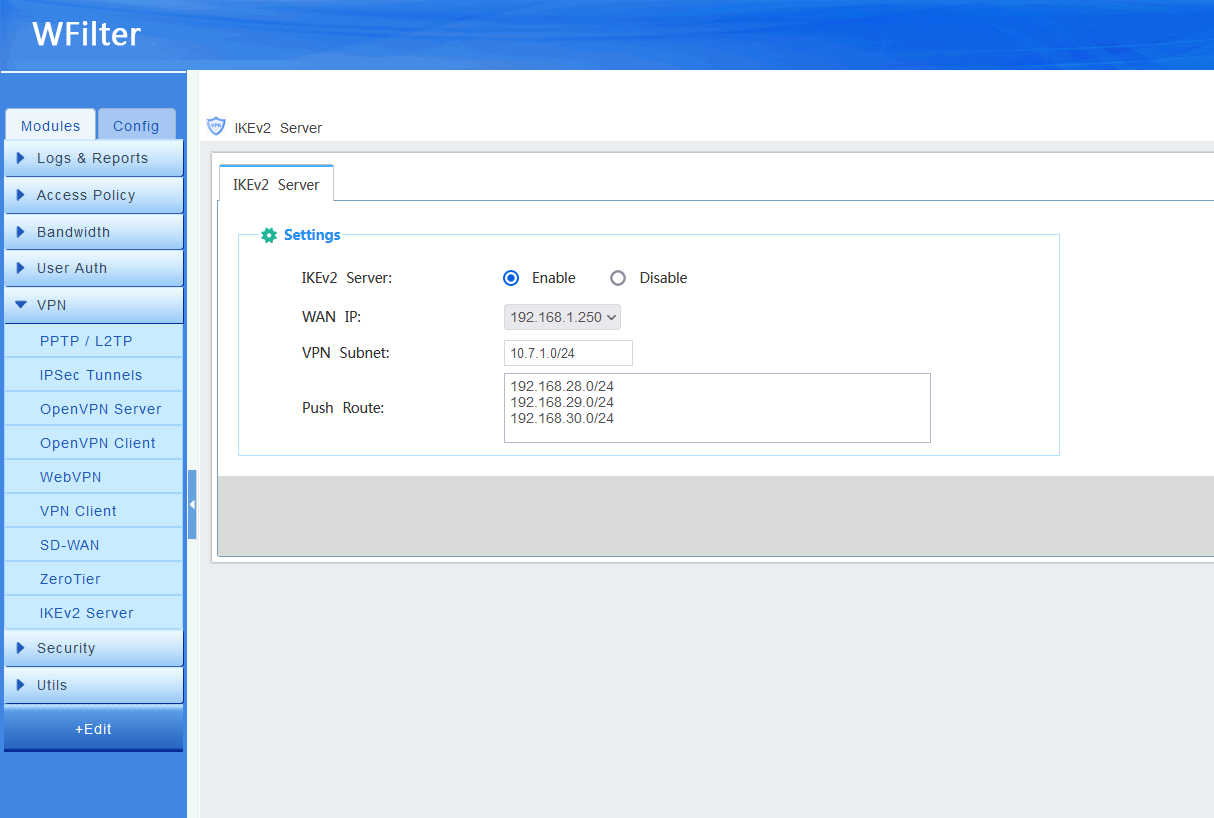
The pain point shows up when only the first two fields get attention. A client can connect successfully and still fail to reach an internal resource because the route was never pushed. If you are setting this up for a branch office or a support team, treat the VPN subnet and push route as part of the same design conversation. Write them down, apply them in the server settings, and test from a real client instead of assuming that a connected status means full access.
2. Why IKEv2 Clients Need Firewall Rules, Not Just a Login
The second trap is firewall policy. To allow IKEv2 clients to access the network, you also need to set up firewall policies in Firewall -> Rules. This is easy to miss because VPN authentication and firewall permission are separate steps. The user account can be valid, the tunnel can be established, and traffic can still be blocked at the firewall.
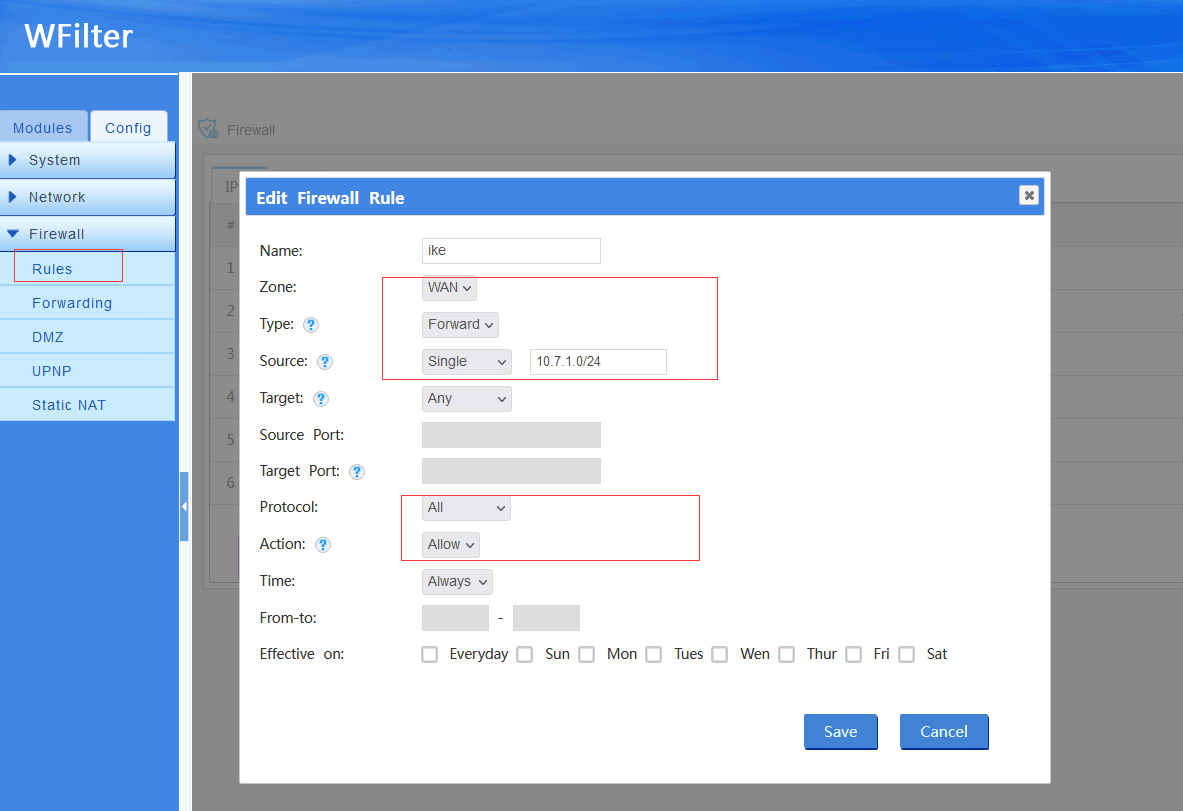
From the user perspective, that feels like a broken VPN. From the admin perspective, it is usually a missing rule. Before you tell someone the VPN is ready, confirm that the firewall policies allow the access you intend. Then test the exact resource the user needs, not just the connection screen. A small amount of planning around the WAN IP, VPN subnet, push route, and firewall rules saves a lot of back-and-forth later.
Source: http://wiki.wfilterngf.com/IKEv2