The Internet Usage Monitoring module records internet activity, including Web Surf, Web Post, Outgoing Emails, Incoming Emails, File Upload History, File Download History, FTP/Telnet Sessions, IP-MAC History, and Connection Details.
It works in both gateway mode and bridge mode. An Enterprise license is required.

Recording Policy
Multiple policies can apply to the same client. For example, policy A could record web surfing for an entire subnet, while policy B enables email recording for one special IP in that subnet. For that IP, both web surfing recording and email recording are enabled.

Web Recording
- Web Surf: records titles of visited web pages for HTTP websites. For HTTPS websites, only domains are recorded by default. To record HTTPS webpages, check SSL Inspector.
- Web Post: records web post content for HTTP websites. To record posts on HTTPS websites, check SSL Inspector.
- Web Post Size Limit: web posts that exceed the size limit are not recorded.
- Smart Filter: when enabled, WFilter does not record visits by non-human clients; this is not 100% accurate.
- Domains Exception: domains in the exception list are not recorded. Wildcards *? are supported.
Email Recording
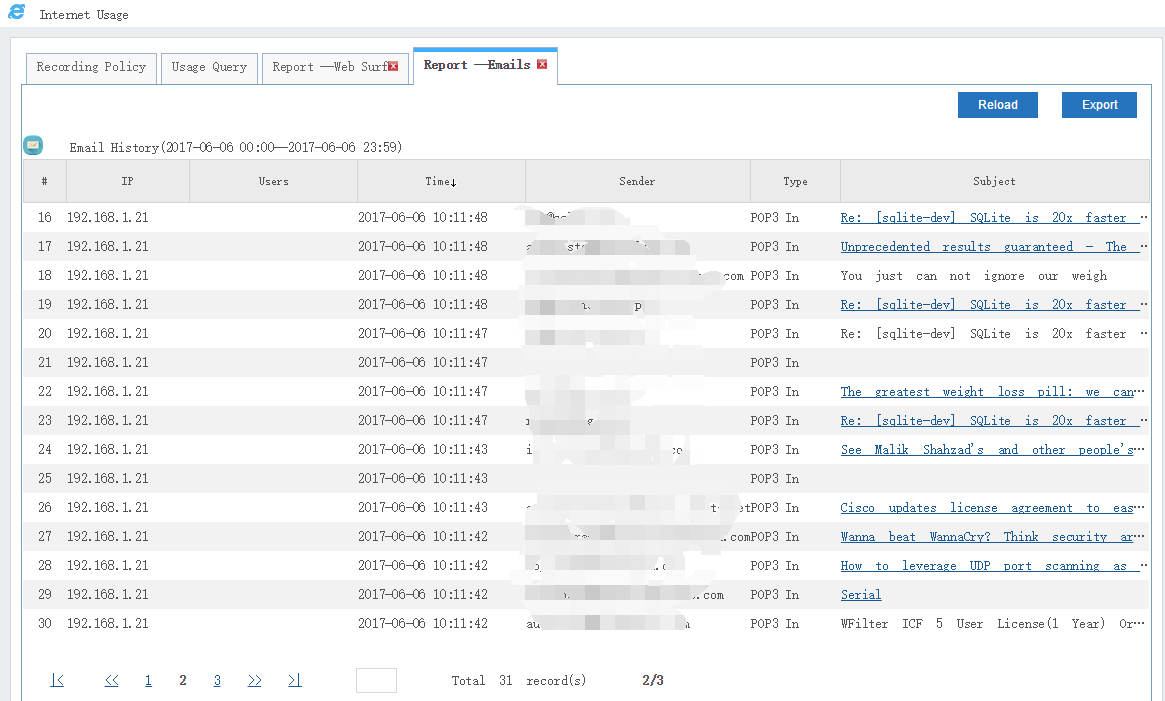
- Supported email types: SMTP, POP3, IMAP4, and outgoing web-based emails.
- For emails that exceed the size limit, only subject, from, and to are recorded.
- To record SSL emails such as SMTP, POP, or IMAP over SSL, check SSL Inspector.
File Transfers
- Supported file transfers: FTP upload, FTP download, Web download, and Web upload.
- WFilter records only filenames or URLs for downloaded files. Full file content can be recorded for uploaded files.
- For uploaded files that exceed the size limit, only filenames are recorded.
- To record files transferred via HTTPS, enable HTTPS Inspector.

Other Activity Options
- Options are available to enable IM accounts and FTP/Telnet sessions.
- Only QQ messenger IDs can be recorded.
- When FTP/Telnet Sessions is enabled, sent FTP/Telnet commands can be recorded.
- IP-MAC History keeps a daily IP-MAC address history.
- Connections provides detail of TCP connection history.


Advanced Settings
- IPv6: enable recording of IPv6 activity.
- Database Commit: sets the database commit frequency.
- Record local visits to below Hosts: local traffic to these hosts is recorded.
- Additional Webmail Domains: custom webmails to be recorded.
- Protocol Ports: customize protocol ports for HTTP, HTTPS, POP3, IMAP4, and SMTP.